Skip to content
Update Desk

Update Desk

  • All Articles
  • App
  • Coding
  • Hardware
  • More
    • Operating System
    • Outlook
    • PowerPoint
    • Review
    • Software
    • Tip & Trick
    • Troubleshooting
    • Windows

All Recipes — Page 13

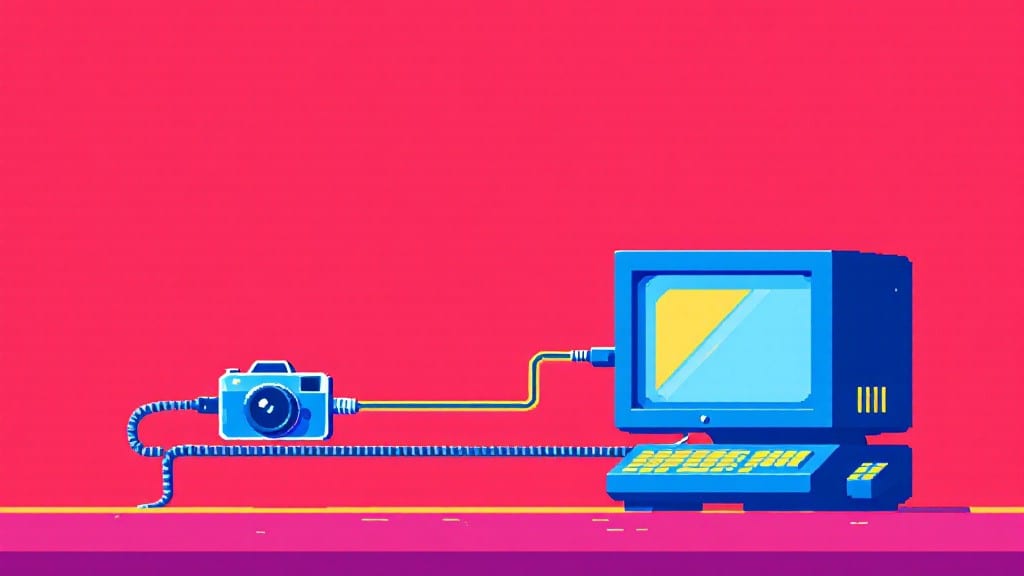
Downloading Pics From Camera To Computer: Instant Transfer Without Sync Delays
October 11, 2026 by Priya Ibarra
Downloading Pics From Camera To Computer: Instant Transfer Without Sync Delays

Downloading pics from your camera to your computer should take seconds, not minutes—yet I’ve watched more people than I can count get stuck in endless sync loops or driver errors. The right method depends on your gear…
Read more

Categories Operating System

Error Code: (0xc000001d): Quick Fixes for Stubborn Systems

October 11, 2026 by Priya Ibarra
Error Code: (0xc000001d): Quick Fixes for Stubborn Systems

Seeing error code 0xc000001d on your Windows screen is like hitting a digital wall—especially when it blocks your boot process. ⚡ I’ve stared at this exact message after botched updates, corrupt system files, or even…

Read more

Categories Troubleshooting

How to Completely Uninstall an App: No-Trace Erasure in 3 Clicks

October 11, 2026 by Priya Ibarra
How to Completely Uninstall an App: No-Trace Erasure in 3 Clicks

To completely uninstall an app leaves zero traces behind—something I learned the hard way after a botched removal left a stubborn app folder haunting my system for months. ⚡ The problem isn’t just deleting the shortcut…

Read more

Categories App

How to Download PPT from SharePoint: Bypass Sync Limits in Seconds

October 11, 2026 by Priya Ibarra
How to Download PPT from SharePoint: Bypass Sync Limits in Seconds

Downloading a PPT from SharePoint shouldn’t feel like navigating a maze—especially when you’re under a deadline. ✨ I’ve spent hours watching colleagues struggle with sync limits and permission walls, so I’m cutting…

Read more

Categories Tip & Trick

How to Install Outlook on iPhone: No-Internet Setup for Full Access

October 11, 2026 by Priya Ibarra
How to Install Outlook on iPhone: No-Internet Setup for Full Access

Installing Outlook on your iPhone gives you full email access without relying on the Mail app. ✨ I’ve helped dozens of clients set this up—especially those who need offline access or advanced features—and the process is…

Read more

Categories Outlook

How to Install PowerPoint From Office 365: Offline Setup Without Internet Hiccups

October 11, 2026 by Priya Ibarra
How to Install PowerPoint From Office 365: Offline Setup Without Internet Hiccups

Installing PowerPoint from Office 365 used to mean waiting for downloads to stutter or getting stuck on login screens—until I discovered the offline setup trick that works every time. ✨ The key is grabbing the installer…

Read more

Categories PowerPoint

How to Install RAM in a Desktop PC: Stress-Free Upgrade in 5 Clear Steps

October 11, 2026 by Priya Ibarra
How to Install RAM in a Desktop PC: Stress-Free Upgrade in 5 Clear Steps

Installing RAM in a desktop PC is easier than you think—especially when you know the right steps. ✨ I’ve upgraded dozens of systems, and the process takes less than 10 minutes once you understand the slot alignment and…

Read more

Categories Tip & Trick

How to Set up Voice Recognition: Three-Click Activation for Any Device

October 11, 2026 by Priya Ibarra
How to Set up Voice Recognition: Three-Click Activation for Any Device

Setting up voice recognition used to require hours of fiddling with obscure settings, but today it’s a three-click process that works on almost any modern device. I’ve helped dozens of folks—from my uncle’s workshop to…

Read more

Categories Tip & Trick

OK Google Set Up My Phone: Hands-Free Activation in Minutes

October 11, 2026 by Priya Ibarra
OK Google Set Up My Phone: Hands-Free Activation in Minutes

"OK Google, set up my phone" is the magic phrase that turns your brand-new Android into a hands-free assistant from day one. 💻 I remember the first time I heard this command work flawlessly—it felt like a sci-fi moment…

Read more

Categories Outlook

Your Windows 8.1 Install Couldn T Be Completed: Forced Reinstall Workaround for Stubborn Systems

October 11, 2026 by Priya Ibarra
Your Windows 8.1 Install Couldn T Be Completed: Forced Reinstall Workaround for Stubborn Systems

That "Windows 8.1 install couldn't be completed" error message is one of the most frustrating roadblocks you'll hit—especially when your system should support it. 💻 I've spent hours debugging this exact issue, and the…

Read more

Categories Windows
Page1…Page11Page12Page13Page14Page15…Page18Next →

About Me

Priya Ibarra

Priya Ibarra
My first computer was a clunky desktop my dad built from spare parts in the early 2000s, and I spent hours tinkering with it—mostly breaking things before I figured out how they worked. That curiosity never left me. Now, I run Update Desk to break down tech in a way that makes sense for regular people, whether you're troubleshooting a glitch or just trying to figure out why your Wi-Fi keeps cutting out. Think of me as the friend who’s always happy to help—without the jargon.

Learn more

Recent Posts

  • How to Completely Uninstall an App: No-Trace Erasure in 3 Clicks
    How to Completely Uninstall an App: No-Trace Erasure in 3 Clicks
  • How to Set Up Thunderbird Email: Zero-Config Account Sync in 5 Minutes
    How to Set Up Thunderbird Email: Zero-Config Account Sync in 5 Minutes
  • How to Add Music to a Video: Sync Soundtracks Like a Pro in Minutes
    How to Add Music to a Video: Sync Soundtracks Like a Pro in Minutes
  • Set up Msn Email on Mac: No-Internet-Required Local Access
    Set up Msn Email on Mac: No-Internet-Required Local Access
  • TPM 2.0 for Windows 10: Direct ISO Download for Full Offline Activation
    TPM 2.0 for Windows 10: Direct ISO Download for Full Offline Activation
  • All Guides
  • About
  • Contact
  • Privacy Policy
  • Cookie Policy
  • Terms of Use
© 2026 updatedesk.click