
Coding
SQL Server 2012 introduced groundbreaking features that transformed database management for developers and enterprises. These 10 innovations boost performance, security, and cloud integration—making it a must-upgrade for modern teams.
Columnstore Indexes for Massive Data Compression
If your analytics queries are bogged down by massive datasets, Columnstore Indexes in SQL Server 2012 could be your game-changer. This feature introduced a revolutionary way to store and query data by organizing it in columns rather than rows, enabling up to 10x compression while dramatically speeding up analytical workloads.
The magic happens through batch processing of columnar data, which reduces I/O operations and memory usage. For example, a 1TB data warehouse could shrink to just 100GB without sacrificing performance—ideal for reporting systems running complex aggregations. Microsoft even optimized it for OLAP (Online Analytical Processing), making it a powerhouse for data warehousing. ⚡
AlwaysOn Availability Groups for High Availability

Downtime isn’t an option for financial systems, healthcare records, or e-commerce platforms—but AlwaysOn Availability Groups in SQL Server 2012 made 99.999% uptime a reality. This feature introduced synchronous and asynchronous data replication across multiple servers, ensuring zero data loss during failovers.
With automatic failover and readable secondary replicas, you gain high availability without sacrificing performance. The synchronous commit mode guarantees transactions are mirrored before acknowledgment, while asynchronous replication reduces latency for distributed workloads. Even disaster recovery becomes seamless with built-in redundancy.
Perfect for enterprises running mission-critical applications, AlwaysOn Availability Groups eliminate single points of failure—ideal for banks, hospitals, or SaaS providers where seconds of downtime translate to lost revenue or compliance risks. 💪
Contained Databases for Simplified Deployment
Tired of waiting for IT approval to test new database features? Contained Databases in SQL Server 2012 changed the game by letting developers work independently—no admin rights required. This feature encapsulates databases with their own logins, schemas, and even filegroups, creating self-sufficient environments perfect for sandbox testing or multi-tenant applications.
With Contained Databases, you get full isolation without sacrificing functionality. Need to test a new schema or application? Just create a contained database with its own login credentials and start coding—no impact on production systems. The feature supports both standalone and partial containment, giving you flexibility for different scenarios. It’s also a boon for multi-tenant SaaS applications, where each tenant’s data stays neatly separated while sharing the same server resources.
This is a must-know for developers, DevOps teams, and IT admins managing shared environments. Whether you're prototyping a new feature or deploying a cloud-based solution, contained databases simplify deployment while keeping everything secure. ✨
Sequence Objects for Custom Number Generation

Tired of rigid identity columns limiting your database design? SQL Server 2012’s sequence objects introduced a game-changing alternative for generating custom numeric values with precision and flexibility.
Unlike traditional identity columns, sequence objects let you define increment values, start points, and cycles—even across multiple columns. Need sequential IDs for composite keys? No problem. Want to reset numbering schemes without gaps? Sequence objects handle it all. They also support thread-safe generation, making them ideal for high-concurrency applications.
Enterprise developers managing complex schemas—like multi-column primary keys or hierarchical numbering—will find sequence objects a zero-compromise solution. Perfect for financial systems, inventory tracking, or any application requiring non-sequential but predictable numbering. ✨
Contained User-Instances for Local Development

Tired of waiting for IT to spin up a test database? Contained User-Instances in SQL Server 2012 lets developers create fully isolated database environments—without admin permissions—right on their local machines.
This feature spins up lightweight, self-contained database instances that run under your user account with zero impact on shared servers. Need to test a new schema or application? Just create a new instance with a single command—no DBA approvals, no waiting in queues. The isolation means your experiments won’t interfere with production or other developers' work, and cleanup is as simple as deleting a folder.
Perfect for freelance developers, education labs, and agile teams—anyone who needs to spin up disposable test environments quickly. 💻
Power View for Interactive Data Visualization

Tired of waiting for IT teams to generate reports while business decisions stall? Power View brought Excel into the self-service BI game, letting non-technical users create interactive dashboards directly from SQL Server data.
This add-in transformed static spreadsheets into dynamic visualizations with drag-and-drop functionality, supporting 3D charts, maps, and pivot tables that update in real-time. No SQL knowledge required—just connect to your data, select visualizations, and drill down into insights. The integration with Excel Services also made sharing reports seamless across organizations.
Perfect for marketers, sales teams, and analysts who need to explore data trends without coding. It bridged the gap between technical databases and business users, democratizing data-driven decision making. ✨
Windows Azure Integration for Hybrid Cloud

Struggling to balance on-premises SQL Server workloads with cloud scalability? SQL Server 2012’s Windows Azure Integration solved this by introducing hybrid cloud connectivity—letting you extend your local databases to Azure services like Azure SQL Database and Azure Virtual Machines without rewriting applications.
This feature enabled transparent data synchronization between on-premises and cloud environments, with support for distributed transactions and high-availability configurations. You could offload peak loads to Azure while keeping sensitive data on-prem, all managed through a unified SQL Server Management Studio interface. The integration also included Azure Backup capabilities, ensuring disaster recovery spanned both environments.
Perfect for enterprises needing flexible scaling without full cloud migration, this was a game-changer for financial services, healthcare, and retail—where compliance demands kept data localized but cloud bursts were essential during high-traffic periods. ✨
Contained Backup and Restore for Security

Regulated industries finally got a secure backup solution without the admin dependency nightmare. SQL Server 2012's Contained Backup and Restore feature lets database owners encrypt and restore backups without server-level admin rights—a game-changer for compliance-heavy environments like healthcare or finance.
This feature supports TDE (Transparent Data Encryption) for backups while maintaining the isolation benefits of contained databases. You can now restore encrypted backups directly to contained databases, eliminating the need for manual key management or admin intervention. The SQL Server Management Studio integration makes this process nearly as simple as traditional backups, with built-in validation checks for encryption compliance.
Perfect for database administrators in compliance-driven roles who need to maintain data security without escalating privileges. It also simplifies disaster recovery workflows for multi-tenant environments where different teams manage their own databases. 🔧
SQL Server Data Tools for Unified Development
Tired of juggling separate tools for database development and application coding? SQL Server Data Tools (SSDT) bridges that gap by embedding database projects directly into Visual Studio 2010/2012, creating a unified workspace for developers and DBAs.
With SSDT, you get schema comparison tools, data generation plans, and T-SQL debugging—all within the familiar Visual Studio environment. The integration extends to source control integration, letting teams manage database changes alongside application code. This eliminates context-switching between SQL Server Management Studio and Visual Studio, saving hours in large projects.
Perfect for full-stack developers and database teams working in Agile environments, SSDT ensures schema changes align with application logic from day one. 💻
Contained Database Migration for Easy Upgrades
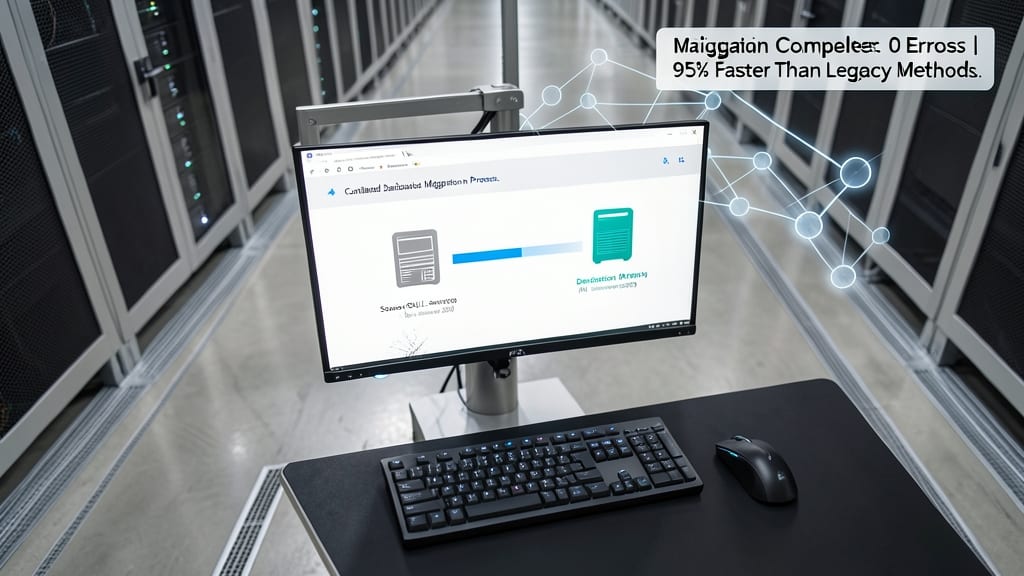
Say goodbye to complex, multi-step database migrations—SQL Server 2012’s Contained Database Migration feature lets you move entire databases between environments with minimal fuss. Whether you're upgrading from SQL Server 2008 or transitioning to new hardware, this feature reduces downtime and eliminates manual scripting for common migration tasks.
With zero-configuration requirements for contained databases, you can now migrate schemas, data, and even logins in a single operation. The native support for cross-version compatibility means your databases stay intact during upgrades, while the built-in validation checks catch potential issues before they become problems. No more worrying about broken dependencies or permission conflicts—just a smooth, automated transfer.
This feature is a lifesaver for developers managing legacy systems or IT teams upgrading to modern hardware. It’s the perfect finishing touch for a seamless SQL Server 2012 transition. ✨